
Paxton Net2 EX Desktop Reader (514-326) — USB Multi-Format Enrollment Reader for Chicago Net2 Admin
Model / Series: Net2 EX Desktop Reader (514-326)
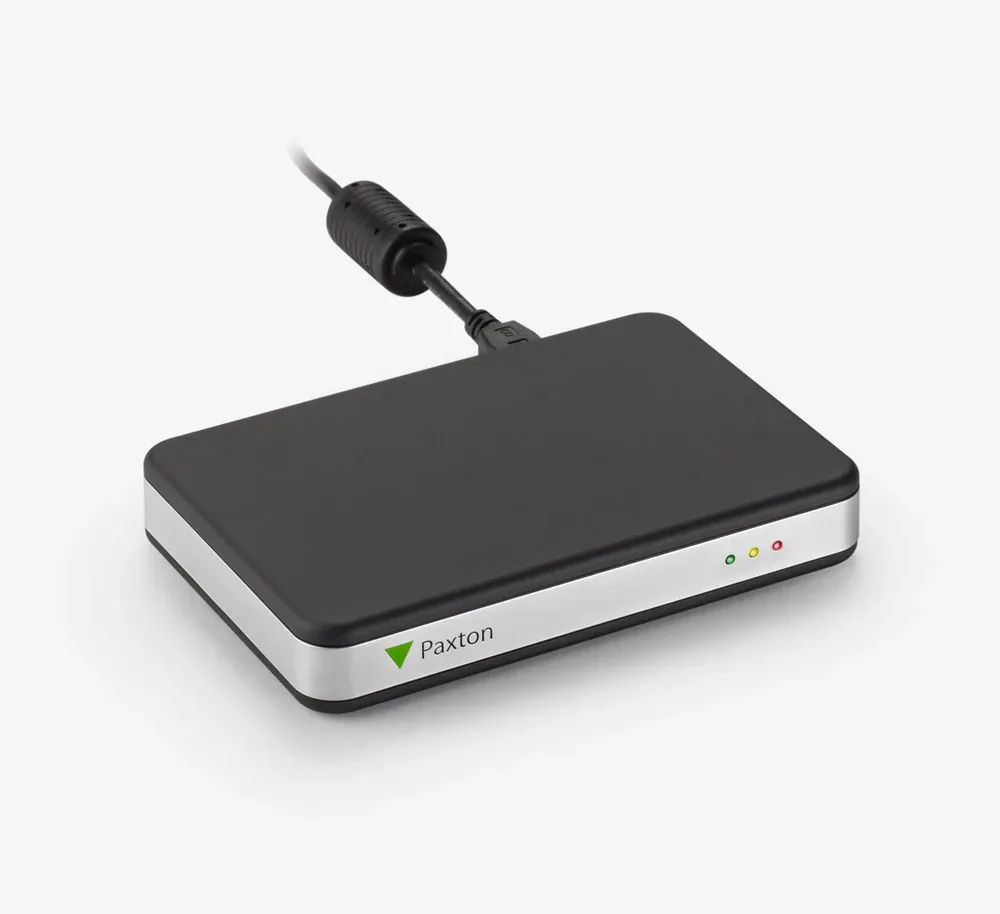
USB desktop enrollment reader for Paxton Net2 — reads Paxton, EM, MIFARE, and HID prox credentials at the manager's desk instead of at the door.
We don't just ship boxes — this goes in as part of our access control installation in Chicago work. First time working with us? Here’s why Chicago buildings pick Vidimost.
Specifications
- Brand
- Paxton
- Model
- Net2 EX Desktop Reader (514-326)
- Series
- Paxton Net2 / Switch2
- Form Factor
- Desktop USB enrollment reader
- Multi-Format Support
- Paxton tokens, EM 4100/02, MIFARE Classic / DESFire EV1 / Plus / Ultralight / Ultralight C / Mini, Magstripe, HID Prox (with activation)
- Connection
- USB to admin PC running Paxton Net2 software
- Power
- USB-powered (5.25 VDC, no external supply)
- Use Case
- Credential enrollment at admin desk — read new tokens / cards / fobs into Paxton Net2 database
- Software Requirement
- Net2 v3.09 or later (MIFARE support requires Net2 v4.17+)
- Dimensions
- 115 W × 75 D × 19 H mm
- Operating Temperature
- Indoor (climate-controlled office)
- Mounting
- Tabletop / desktop
Best Fit & Recommended For
Paxton Net2 EX Desktop Reader (514-326) — Multi-Format USB Enrollment for Net2 Admin
The Paxton Net2 EX Desktop Reader (514-326) is the multi-format USB-connected enrollment reader for Paxton’s Net2 systems — sits next to the admin PC and reads new credentials directly into the Net2 database during cardholder enrollment. Most-comprehensive credential support in the Paxton enrollment lineup: Paxton tokens, EM 4100/02, MIFARE (Classic, DESFire EV1, Plus, Ultralight, Ultralight C, Mini), Magstripe, and HID Prox (with activation).
The Net2 EX Desktop Reader is essential operational infrastructure for any Paxton Net2 deployment — without it, enrolling a new credential requires walking out to a door reader, presenting the credential, and capturing the read in Net2 software. With the desktop reader, enrollment happens at the admin desk in seconds.
Why This Reader Stands Out — Multi-Format Enrollment
Most desktop enrollment readers only read one format. The Net2 EX Desktop Reader reads 8+ credential formats simultaneously — meaning in a single Paxton Net2 site:
- Existing Paxton token users can be enrolled
- Legacy EM 125 kHz cards from acquired-property credentials read fine
- New MIFARE DESFire EV1 smart cards enroll directly
- MIFARE Plus for higher-security deployments
- Magstripe cards (older HID legacy + ID badges) read at the desk
- HID Prox 125 kHz with activation for migration-from-HID scenarios
For Chicago property managers consolidating multiple buildings onto a single Net2 deployment, this multi-format read is critical — different buildings often have different credentials in active circulation, and the EX Desktop reader handles every format from the admin desk.
Installation Simplicity
- USB-powered — plug into Net2 admin PC, no external power supply
- Net2 v3.09+ required (MIFARE features require v4.17+)
- Tabletop — sits next to keyboard / monitor
Net2 EX vs. Paxton10 Desktop Reader
| Feature | Net2 EX (514-326, this) | Paxton10 Desktop (010-387) |
|---|---|---|
| Platform | Paxton Net2 / Switch2 | Paxton10 cloud |
| Multi-format | Paxton, EM, MIFARE, Magstripe, HID Prox | Paxton, EM, MIFARE DESFire CSN, HID Prox, FeliCa, NFC |
| Magstripe support | Yes | No |
| Connection | USB | USB |
| Best fit | Net2 admin enrollment | Paxton10 cloud admin enrollment |
Match the desktop reader to your Paxton platform — Net2 EX (this) for Net2 / Switch2 sites, Paxton10 Desktop for Paxton10 cloud sites.
Where the Paxton Net2 EX Desktop Wins in Chicago
- Chicago Paxton Net2 admin stations for new-cardholder enrollment
- HOA front office credential enrollment for new residents — Chicago HOAs
- Building manager desks at multi-tenant residential properties — Loop, Mag Mile, North Side
- HR / admin desks at commercial offices managing Net2 credentials
- Property management offices issuing credentials across multiple Net2 properties
- Healthcare admin offices enrolling staff credentials on Net2 — clinics + outpatient facilities
- School front-office desks issuing Net2 staff credentials
- Lost-token identification (read found tokens to identify owner in Net2 database)
Local Chicago Coverage
Vidimost installs the Paxton Net2 EX Desktop Reader across the full city of Chicago as part of every Paxton Net2 deployment — typically one or more per property depending on admin workflow.
Recommended Pairings
- Paxton P50 (353-110) — door reader most-installed
- Paxton KP50 (355-110) — 2-factor sensitive doors
- Paxton KP75 MIFARE (375-130) — vandal metal MIFARE 2-factor outdoor
- Paxton10 Desktop Reader (010-387) — for Paxton10 cloud platform deployments
Professional Installation by Vidimost
Vidimost LLC is an active Paxton installer across Chicago. The Net2 EX Desktop Reader is part of every Paxton Net2 deployment — Chicago HOAs, commercial offices, healthcare, education, and property-management projects. Full-scope service includes site walkthrough, admin workstation identification, USB driver setup on Net2 admin PC, MIFARE-variant matching to door readers, training of admin staff on enrollment workflow, and ongoing support. Contact us for a free site walkthrough and quote.
If you’re still choosing between models, start with our side-by-side Paxton reader guide.
Frequently Installed Together
Paxton
Paxton P38
Paxton's smallest Net2 proximity reader — a 1.5-inch mullion unit for narrow door frames and elevator panels where nothing wider fits.
View →Paxton
Paxton P50
The Paxton P50 (353-110) is the standard 125 kHz proximity reader in Paxton's Net2 / Switch2 line — 2" wide mullion / wall-mount form factor for typical commercial doors. Reads Paxton tokens + EM 125 kHz credentials, IP67 waterproof, 3" token read range, 4 ft hands-free range. The most-installed Paxton Net2 reader for standard wall-flush installations at Chicago offices, condos, HOA buildings, and commercial properties.
View →Paxton
Paxton P75
Paxton's largest 125 kHz proximity reader — 4-inch token range, 5-foot hands-free, IP67. Fits Net2 and Switch2 main entries that see heavy foot traffic.
View →Paxton
Paxton KP50
Paxton's card-plus-PIN unit for Net2 — a 125 kHz fob reader and 12-button keypad in one IP67 housing.
View →Paxton
Paxton KP75 MIFARE
Metal keypad reader for Paxton Net2 — MIFARE card plus PIN at doors that take abuse: parking garages, gated entries, Chicago alley doors.
View →Paxton
Paxton10 Desktop Reader
USB desk reader for Paxton10 — enroll new fobs and cards into the cloud system right from the front office instead of walking to a door.
View →